


If your DIRECTV remote not working has left you stranded without control over your entertainment setup, you’re far from alone. Thousands of DIRECTV subscribers encounter remote control issues every month, and the good news is that most problems are fixable without calling a technician. Whether your DIRECTV remote stopped working suddenly, the remote only controls the TV but not the receiver, or the buttons are unresponsive altogether, this comprehensive guide will walk you through every troubleshooting step — from the simplest fix to advanced solutions that even seasoned users overlook.
Why Your DIRECTV Remote Stops Working
Understanding what causes a DIRECTV remote not responding is the first step toward a permanent fix. Remotes fail for a variety of reasons, and pinpointing the root cause saves you time and frustration.
Common Causes of DIRECTV Remote Failure
- Dead or depleted batteries — The most frequent culprit behind a DIRECTV remote not working. Infrared remotes need consistent voltage to transmit signals reliably.
- Signal interference — Other electronics, fluorescent lighting, or even mirrors can block the infrared signal between your remote and the receiver.
- Incorrect remote programming — If the remote was recently reprogrammed or the receiver was replaced, the remote may not be paired correctly.
- Software glitches in the receiver — A firmware issue or frozen receiver can prevent the remote from communicating.
- Physical damage to the remote — Spills, drops, or worn-out button contacts degrade functionality over time.
- IR blaster malfunction — The small bulb on the front of the remote that emits the infrared signal can burn out.
Quick Fixes When Your DIRECTV Remote Stopped Working
Before diving into advanced troubleshooting, try these fast solutions that resolve the majority of DIRECTV remote not working issues in under five minutes.
- Replace the batteries — Remove the old batteries and insert two fresh AAA batteries. Always use alkaline batteries for consistent performance, and make sure the polarity matches the diagram inside the battery compartment.
- Point the remote directly at the receiver — The infrared sensor on the front of your DIRECTV receiver must have a clear line of sight from the remote. Hold the remote within three to six feet of the receiver.
- Remove obstructions — Check for objects blocking the infrared receiver on the front panel of your DIRECTV Genie or HR receiver.
- Test with a smartphone camera — Point your remote at your phone’s camera and press any button. If you see a purple or white light flickering in the camera view, the remote is emitting signals correctly.
Programming Your DIRECTV Remote Correctly
One of the most overlooked reasons a DIRECTV remote not working problem persists is incorrect programming. Your remote needs the correct device codes to communicate with your TV, audio system, and receiver.
Using the Remote Code Lookup Tool
DIRECTV provides an official remote code lookup tool on their website. You’ll need your remote model number — found on a sticker on the back of the remote — and the brand of your television. Enter both, and the tool will display the correct code to program into your remote.
Auto-Search Programming Method
If you don’t know your TV brand or model number, the auto-search method cycles through all available codes automatically:
- Press and hold the MUTE and ENTER buttons simultaneously until the green light at the top of the remote blinks twice.
- Enter 9-6-1 using the remote’s number pad.
- The remote will automatically search for your TV brand and apply the correct code.
- Test the remote by adjusting the volume to confirm the pairing worked.
| Programming Method | Best For | Time Required | Success Rate |
| Manual Code Entry | Known TV brand and model | 2-3 minutes | High |
| Auto-Search (9-6-1) | Unknown TV brand | 5-10 minutes | Very High |
| Pairing with Genie Mini | Whole-home DVR setups | 3-5 minutes | High |
Battery and Power Issues That Cause Remote Failure
Battery-related problems account for a significant percentage of DIRECTV remote not working complaints. But it’s not always as simple as replacing the batteries.
- Corroded battery terminals — Look inside the battery compartment for white or greenish residue. Clean contacts with a cotton swab dipped in rubbing alcohol.
- Expired batteries — Even batteries that haven’t been used can lose charge over time. Always check the expiration date before installing.
- Rechargeable battery packs — Some DIRECTV universal remotes use rechargeable battery packs that degrade after 6 to 12 months of regular use.
- Battery contact springs — Weak springs in the battery compartment can prevent proper contact, causing intermittent remote behavior.
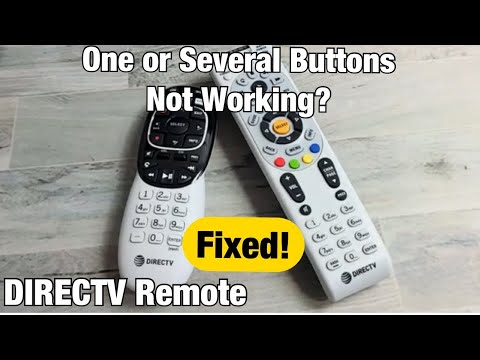
Expert Tip: If your DIRECTV remote works intermittently — functioning perfectly one moment and failing the next — battery contact issues are likely the cause. Gently clean the spring contacts with a pencil eraser for improved conductivity.
Resetting and Re-Pairing Your DIRECTV Remote
When basic fixes don’t solve the DIRECTV remote troubleshooting puzzle, a full reset and re-pairing process often restores functionality completely.
Soft Reset (Remote Only)
- Remove the batteries from the back of the remote.
- Press and hold the POWER button for 15 seconds to discharge any residual electricity.
- Wait 30 seconds, then reinsert fresh batteries.
- Point the remote at the receiver and press the DIRECTV button to re-establish communication.
Hard Reset (Remote and Receiver)
For persistent DIRECTV remote not working problems, resetting the receiver itself can help:
- Unplug the power cord from the back of the DIRECTV receiver.
- Wait a full 60 seconds before plugging it back in.
- Allow the receiver to reboot completely — this typically takes 3 to 5 minutes.
- Re-pair the remote using the programming steps outlined above.
Advanced Troubleshooting for Persistent Issues
If you’ve tried all the standard fixes and your DIRECTV remote still not working, these advanced steps dig deeper into the problem.
Checking the Infrared Sensor on Your Receiver
The small dark window on the front of your DIRECTV receiver is the infrared sensor. If it’s damaged, dirty, or obstructed, no remote will work with it. Use a flashlight to inspect the sensor for cracks or discoloration. Gently clean it with a dry, soft cloth.
Testing with a Universal Remote
If a universal remote works with your DIRECTV setup but the original DIRECTV remote does not, the problem is isolated to the original remote itself — not the receiver. This confirms a hardware failure in the remote.
Firmware Updates for DIRECTV Receivers

Occasionally, a DIRECTV firmware update can change remote pairing requirements. Navigate to Menu > Settings > Remote Helper on your receiver to check for pending updates. If a software update is available, allow the receiver to install it before re-pairing your remote.
When to Replace Your DIRECTV Remote
Sometimes the most practical solution is replacement. If your remote has physical damage, the buttons are worn smooth, or none of the troubleshooting steps restore function, it’s time for a new one.
- DIRECTV Genie remote replacements — Available directly from DIRECTV customer service at no additional cost for active subscribers.
- Universal remote alternatives — Brands like Logitech Harmony and SofaBaton offer compatible universal remotes with enhanced features like voice control and macro programming.
- DIRECTV App workaround — The DIRECTV app on your smartphone can serve as a temporary remote control until you receive a replacement.
Preventing Future DIRECTV Remote Problems
Regular maintenance keeps your DIRECTV remote functioning reliably for years. Follow these simple habits:
- Replace batteries every 4 to 6 months, even if the remote still appears to work.
- Keep the remote away from heat sources, moisture, and direct sunlight.
- Store the remote in a dedicated spot to prevent drops and impacts.
- Periodically clean the infrared blaster with a dry microfiber cloth.
- Avoid stacking electronics directly on top of or directly in front of your receiver.
Frequently Asked Questions
Why does my DIRECTV remote work for the TV but not the receiver? This indicates the remote is programmed for TV control but not paired with your DIRECTV receiver. Re-pair the remote using the 9-6-1 auto-search method or enter your receiver’s specific remote code manually.
How do I know if my DIRECTV remote is emitting a signal? Point the remote at your smartphone camera and press any button. A visible purple or white light in the camera view confirms the remote is transmitting infrared signals correctly.
Can a DIRECTV remote work without being paired to a receiver? No. DIRECTV remotes must be paired to a specific receiver to control channel changes, volume, and menu navigation. Unpaired remotes may still power on the TV if pre-programmed with TV codes, but they cannot control the DIRECTV receiver itself.
What should I do if my DIRECTV Genie remote stopped working after a power outage? Power outages can disrupt the remote-receiver pairing. Perform a soft reset by removing the batteries, holding the power button for 15 seconds, and then re-pairing the remote to the receiver using the standard programming steps.
Is there a reset button on DIRECTV remotes? Most DIRECTV remotes do not have a dedicated reset button. Instead, you can reset the remote by removing the batteries, pressing and holding the power button for 15 seconds, and then reinserting the batteries. For the receiver, unplug it for 60 seconds to perform a full hard reset.
Can I use a smartphone as a DIRECTV remote instead of the physical remote? Yes. The DIRECTV app available on iOS and Android devices can control your receiver over Wi-Fi, making it an excellent temporary or permanent alternative while you troubleshoot or wait for a replacement physical remote to arrive.
Conclusion
A DIRECTV remote not working is almost always a solvable problem. Whether the issue stems from dead batteries, incorrect programming, signal interference, or hardware failure, the step-by-step solutions outlined above cover every scenario from beginner-friendly quick fixes to advanced diagnostic techniques. By maintaining your remote properly and addressing issues early, you can enjoy uninterrupted control of your DIRECTV entertainment system for years to come. If none of these steps restore your remote’s functionality, reaching out to DIRECTV customer support for a replacement is a quick and reliable next step.