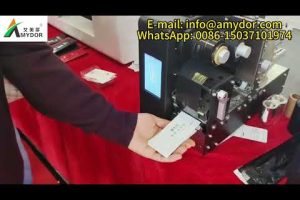
In today’s hyper-connected professional world, your business card is often the first physical touchpoint between you and a potential client, partner, or employer. While digital networking continues to grow, there’s something uniquely powerful about handing someone a well-designed, professionally printed business card. Fortunately, the rise of digital printing technology has made it easier than ever to print business cards online with stunning quality, customization, and speed. Whether you’re a solopreneur building your personal brand or a marketing manager ordering thousands of cards for a corporate event, understanding how to navigate the world of online business card printing can save you time, money, and frustration. This guide covers everything from material choices and design best practices to pricing comparisons and expert tips that will help you make smarter decisions.
Why More Professionals Are Choosing Online Business Card Printing
The shift toward digital ordering for business cards isn’t just a trend—it’s a fundamental change in how professionals access print services. Traditional brick-and-mortar print shops often come with limited hours, higher minimum orders, and less flexibility in design options. When you order business card printing online, you gain access to global networks of printers, competitive pricing, and an enormous range of customization features. You can compare options side by side, upload your own design, receive instant proofs, and track your order from start to finish. For small business owners and freelancers especially, the convenience of designing and ordering custom business cards from your laptop at any hour is a game-changer.
Understanding Business Card Paper Types and Materials
The paper stock you choose for your printed business cards directly impacts durability, feel, and perceived value. Understanding the differences between popular options will help you select the right material for your brand identity and budget.
Coated vs. Uncoated Card Stock
Coated paper stocks feature a thin layer of clay or polymer that creates a smooth, glossy, or satin finish. This coating enhances color vibrancy and sharpness, making coated cards ideal for designs with bold graphics, photography, or rich color gradients. However, coated surfaces can be slippery, which sometimes makes writing notes on the back difficult without a special pen.
Uncoated paper stocks absorb ink more readily, giving your cards a natural, tactile texture. They’re excellent for brands that want a classic, artisanal, or eco-conscious feel. Uncoated cards are also easier to write on with standard pens, which makes them popular among consultants, architects, and professionals who expect recipients to jot down notes.
Popular Card Stock Weights and Finishes
When browsing online printing services, you’ll encounter a variety of stock weights measured in points or grams per square meter (GSM). Here are the most common options:
- Standard (14pt–16pt, ~250 GSM): A reliable, affordable choice for everyday business cards. Suitable for most professionals and provides a solid feel without being bulky.
- Premium (20pt–24pt, ~350–400 GSM): Thick, rigid cards that feel substantial in hand. These are ideal for luxury brands, executive profiles, and high-end networking events.
- Ultra-Thick (32pt+): Often used as a premium marketing tool or luxury invitation. These cards stand out immediately due to their weight and stiffness.
- Textured Stocks (linen, felt, hammered): Add a distinctive tactile element that communicates craftsmanship and attention to detail.
- Recycled and Eco-Friendly Stocks: Made from post-consumer waste and processed without chlorine bleaching. Perfect for sustainability-focused brands.
Design Best Practices for Online Business Card Printing
Designing your cards for print is different from designing for digital screens. A file that looks great on your monitor might produce unexpected results on a physical card if you don’t account for print-specific requirements.
- Use CMYK color mode: Printers use the CMYK (Cyan, Magenta, Yellow, Key/Black) color model, not RGB. Converting your design to CMYK before uploading prevents unexpected color shifts.
- Set up bleed and margin areas: Most online printers require a 0.125-inch (3mm) bleed on all sides to ensure your background color or images extend to the edge without leaving white borders after trimming.
- Choose a resolution of at least 300 DPI: Low-resolution images will appear pixelated or blurry on your finished cards. Always export your final design at 300 DPI for crisp, professional results.
- Use vector fonts or convert text to outlines: This prevents font substitution issues when the printer processes your file, ensuring your text appears exactly as you intended.
- Keep text legible: For a standard 3.5 × 2-inch business card, body text should be no smaller than 7–8 points. Your name and title should be the most prominent elements.
- Leverate white space: Overcrowding your card with information reduces readability and visual impact. Focus on essentials: name, title, phone, email, and one or two digital channels.
Comparing Popular Online Business Card Printing Services
Not all online printing platforms deliver the same quality, pricing, or experience. The table below compares several well-known services based on key factors that matter to most buyers.
| Service | Starting Price (per 100 cards) | Turnaround Time | Stock Options | Notable Feature |
| Vistaprint | $9.99 (frequent discounts) | 5–7 business days | 12+ options | Extensive design templates and low entry cost |
| Moo | $69.00 (100 cards) | 3–5 business days | 20+ options | PrintDifferent™ — each card in a pack can have a unique design |
| Canva Print | $8.99 (100 cards) | 3–5 business days | 6 options | Built-in design tools and seamless Canva integration |
| GotPrint | $19.99 (100 cards) | 5–7 business days | 10+ options | Competitive pricing with bulk discounts |
| UPrinting | $14.99 (100 cards) | 2–4 business days | 8 options | Fast turnaround and strong customer support |
| PrintPlace | $19.95 (100 cards) | 3–5 business days | 15+ options | No minimum order quantity and specialty finishes |
Pro tip: Many of these services offer deep discounts for first-time orders or bulk reorders. Signing up for email notifications and checking seasonal promotions can reduce your cost per card by 30–50%. However, always prioritize print quality and paper feel over the lowest price, especially if your business card serves as a premium brand ambassador.
Finishing Options That Elevate Your Printed Business Cards
Once you’ve selected your paper stock, the finishing options you add can dramatically transform the look and feel of your cards. These post-print processes are what separate standard cards from memorable ones.
- Spot UV Varnish: A clear, glossy coating applied to specific areas of the card, creating a raised, shiny effect against a matte background. This technique highlights logos, names, or graphic elements with premium precision.
- Full Gloss or Matte Laminate: A protective layer applied across the entire card. Gloss delivers a vibrant, shiny finish, while matte provides a sophisticated, non-reflective surface that resists fingerprints and smudges.
- Foil Stamping: Metallic foil (gold, silver, copper, or holographic) is heat-pressed onto the card. Foil stamping creates a striking, luxurious effect that’s particularly effective for gold or silver lettering on dark stocks.
- Raised Ink (Thermography): A powder-based process that creates a slightly raised, textured surface on the printed text. This is a classic finishing technique that conveys professionalism at a moderate cost.
- Die-Cut Shapes: Some online printers offer custom die-cutting, allowing you to order business cards in unique shapes like rounded corners, octagons, or custom silhouettes that reflect your brand personality.
How to Choose the Right Online Printer for Your Needs
With dozens of online business card printing services available, selecting the right one requires evaluating your specific priorities. Consider these factors before placing your order:
- Print quality and color accuracy: Read customer reviews and request sample kits if available. A printer that consistently delivers accurate colors and clean edges is worth the investment.
- Paper stock variety: If your brand requires a specific texture or weight, ensure the printer offers it. Limited stock options may force you to compromise on your vision.
- Turnaround time and shipping: If you need cards urgently, prioritize services with fast production and reliable shipping options, including expedited and overnight delivery.
- Design tools vs. upload-your-own: Some platforms provide built-in design editors with templates, while others focus exclusively on uploading pre-made files. Choose based on whether you need design assistance or creative freedom.
- Minimum order quantities: Some printers require a minimum of 50 or 100 cards per order, while others accept smaller quantities. This matters if you’re testing a new design or ordering for a small team.
- Customer support and satisfaction guarantees: Check whether the printer offers reprints for defective orders and how responsive their support team is to inquiries.

Cost-Saving Strategies for Ordering Business Cards Online
Professional business card printing doesn’t have to break the bank. Here are proven strategies to reduce costs without sacrificing quality:
- Order in bulk: Most printers offer significant per-unit discounts when you order 500, 1,000, or more cards. If you’re a growing business, ordering a larger quantity upfront and storing extras is far more cost-effective than reordering small batches.
- Use standard sizes: Custom dimensions often trigger higher setup fees. The standard 3.5 × 2-inch size is universally compatible with card holders and printers, keeping costs lower.
- Choose a single-sided print: Double-sided printing adds to the cost. If your design works effectively on one side, you’ll save money while still looking polished.
- Leverage first-time buyer discounts: Many online printers offer 20–50% off for new customers. Take advantage of these promotions, but be sure the print quality justifies the savings.
- Skip unnecessary finishes: While spot UV and foil stamping look incredible, they add significant cost. For everyday networking cards, a quality matte or gloss laminate is often sufficient.
Conclusion: Print Your Business Cards Online with Confidence

Online business card printing has evolved into a mature, highly accessible industry that empowers professionals of all sizes to create cards that truly represent their brand. By understanding paper stocks, design specifications, finishing options, and how to compare online printers, you can confidently order cards that make a lasting impression. Start with a clear vision of your brand identity, choose materials that align with your audience’s expectations, and leverage the competitive pricing and convenience that digital ordering provides. Whether your first order is a single pack of 100 cards or thousands for a company-wide launch, the right online printing partner will deliver quality, consistency, and value every time.
Frequently Asked Questions
What is the best paper weight for business card printing online?
For most professionals, a 14pt to 16pt stock (approximately 250–300 GSM) strikes the ideal balance between durability, feel, and affordability. If you want a more premium impression, 20pt or 24pt stocks feel noticeably thicker and more substantial in hand, making them excellent choices for luxury brands, attorneys, and executive-level networking.
How long does it take to print business cards online and receive them?
Standard turnaround times for most online printing services range from 3 to 7 business days for production, plus shipping. Many services offer rush or expedited options that can deliver your cards in 2–3 business days, though these typically come at a higher price point. Always check the estimated delivery date before confirming your order, especially if you have an upcoming event or deadline.
Can I use my own design or do I need to use a template?

Absolutely. Most online business card printers accept custom uploads in formats like PDF, AI, PSD, or JPG. If you’re designing from scratch, ensure your file meets the printer’s specifications for bleed, trim area, resolution (300 DPI minimum), and color mode (CMYK). Alternatively, many platforms offer built-in design tools with professionally crafted templates if you prefer a guided experience.
Is it cheaper to print business cards online or at a local print shop?
Online printing services typically offer lower prices due to economies of scale and reduced overhead costs. For small quantities, the difference may be modest, but for bulk orders, online printers almost always provide better per-unit pricing. That said, local shops can be valuable if you need same-day printing or want to physically review a proof before committing to a full run.
What digital file format should I upload for the best print quality?
PDF is the most universally accepted and recommended format for uploading business card designs. It preserves your fonts, vector graphics, and color profiles without compression or distortion. If you’re using design software like Adobe Illustrator or InDesign, export your final file as a press-ready PDF with trim marks and bleed included. Avoid uploading low-resolution JPGs or PNGs, as these will result in blurry or pixelated text and graphics on your finished cards.