


The world of artificial intelligence has exploded in recent years, and AI apps have become the primary way millions of people interact with machine learning models every single day. From generating stunning visuals in seconds to automating repetitive work tasks, these applications are reshaping how professionals, creators, and everyday users approach their workflows. Whether you are a freelancer looking to streamline content creation, a small business owner searching for smarter tools, or a tech enthusiast curious about what is possible, understanding the landscape of AI applications is more important than ever. This guide dives deep into what AI apps are, how they work, the top categories dominating the market, and practical advice for choosing the right tools for your needs.
What Are AI Apps?
AI apps are software applications that integrate artificial intelligence technologies — such as machine learning, natural language processing, and computer vision — to deliver intelligent, automated, or semi-automated experiences. Unlike traditional software that follows rigid, rule-based logic, AI-powered applications learn from data, adapt to user behavior, and improve their outputs over time. When you ask ChatGPT a question, use Canva’s AI image generator, or let Grammarly rewrite a sentence, you are interacting with an AI app.
These applications range from simple browser-based tools to complex enterprise platforms. The defining characteristic is their ability to perform tasks that traditionally required human intelligence, including understanding language, recognizing patterns, making predictions, and generating original content.
How AI Apps Work Under the Hood
Understanding the mechanics behind AI apps helps you appreciate their capabilities — and their limitations. At the core, most modern AI applications rely on large language models, neural networks, or generative algorithms trained on massive datasets.
Key Technologies Powering AI Applications
- Natural Language Processing (NLP): Enables apps to understand, interpret, and generate human language. This powers chatbots, writing assistants, and voice-controlled tools.
- Computer Vision: Allows applications to analyze and interpret visual information, used in image generators, facial recognition tools, and medical diagnostics.
- Generative AI Models: Models like GPT, Stable Diffusion, and DALL-E that create new content — text, images, audio, or code — based on learned patterns.
- Recommendation Engines: Algorithms that analyze user behavior to suggest personalized content, products, or actions, commonly seen in streaming and e-commerce apps.
- Predictive Analytics: Machine learning models that forecast outcomes based on historical data, widely used in finance, healthcare, and marketing apps.
Most AI apps are delivered through cloud infrastructure, meaning the heavy computational lifting happens on remote servers. Users interact with these tools via web browsers, mobile applications, or desktop software, receiving near-instant responses powered by complex models running behind the scenes.
Top Categories of AI Apps
The AI app ecosystem is vast and growing rapidly. Here are the most prominent categories that are driving adoption in 2024 and beyond.
AI Writing and Content Creation Tools
Content creation has been one of the earliest and most visible use cases for AI apps. Tools like Jasper, Copy.ai, Writesonic, and Notion AI help users draft blog posts, marketing copy, email campaigns, and social media content with minimal effort. These apps leverage large language models to produce text that is coherent, contextually relevant, and often indistinguishable from human writing.
Beyond basic text generation, many writing-focused AI apps now offer features like tone adjustment, SEO optimization, plagiarism checking, and multi-language support. For teams managing content at scale, these tools dramatically reduce turnaround time and creative bottlenecks.
AI Productivity and Automation Apps

Productivity is another area where AI apps shine. Tools like Microsoft Copilot, Notion AI, Fireflies.ai, and Zapier AI automate meeting summaries, task management, email drafting, workflow triggers, and data entry. The goal is straightforward: eliminate repetitive tasks so professionals can focus on higher-value work.
Many of these apps integrate directly with existing ecosystems — Slack, Google Workspace, Microsoft 365, and CRMs — making adoption seamless without requiring a complete overhaul of your workflow.
AI Image and Video Generation Apps
Visual content creation has been transformed by AI apps like Midjourney, DALL-E, Stable Diffusion, and RunwayML. These tools can generate photorealistic images, stylized artwork, and even short video clips from simple text prompts. They are used by marketers, designers, content creators, and hobbyists alike to produce visuals that would have taken hours — or days — using traditional design software.
RunwayML and similar platforms also offer AI-powered video editing features, including background removal, text-to-speech narration, and automated highlighting, making video production far more accessible to non-professionals.
AI Coding and Development Assistants
For developers, AI apps like GitHub Copilot, Tabnine, and Cursor have become indispensable. These tools provide intelligent code completion, bug detection, automated testing suggestions, and even full function generation based on natural language descriptions. They accelerate development cycles significantly and help engineers learn new frameworks faster.
Comparing Popular AI Apps by Category
With so many options available, choosing the right AI app can feel overwhelming. The table below compares leading AI apps across key criteria to help you narrow your options.
| AI App | Category | Key Strength | Pricing Model | Best For |
| ChatGPT (OpenAI) | Conversational AI | Versatile text generation and reasoning | Free + Plus subscription | General-purpose tasks, brainstorming |
| Midjourney | Image Generation | High-quality artistic visuals | Subscription-based | Creative professionals, designers |
| Grammarly | Writing Assistance | Real-time grammar and tone correction | Free + Premium | Writers, students, professionals |
| GitHub Copilot | Code Assistance | Context-aware code completion | Individual + Business plans | Software developers, teams |
| Fireflies.ai | Meeting Automation | AI meeting transcription and summaries | Free + Pro plans | Remote teams, sales professionals |
| RunwayML | Video & Creative AI | AI-powered video editing and generation | Free tier + paid plans | Video creators, filmmakers |
How to Choose the Right AI App for Your Needs
Selecting the best AI app depends on several factors beyond just what the app can do. Here are practical considerations to guide your decision.
- Identify Your Core Need: Are you looking to save time on writing, automate workflows, generate visual content, or write code faster? Pinpointing your primary use case eliminates tools that do not align with your goals.
- Evaluate Integration Capabilities: The most powerful AI apps connect with tools you already use. Check for native integrations with your existing tech stack before committing.
- Consider Data Privacy and Security: Many AI apps process sensitive data on external servers. Review privacy policies, data retention practices, and compliance certifications, especially if you handle client or proprietary information.
- Test Before You Commit: Most leading AI apps offer free tiers or trial periods. Use these to evaluate output quality, speed, and usability before investing in a paid plan.
- Assess the Learning Curve: Some AI apps require prompt engineering skills or technical knowledge, while others are designed for zero-learning-curve adoption. Choose based on your team’s technical comfort level.
Expert Tips for Getting the Most Out of AI Apps
Simply downloading an AI app is not enough to unlock its full potential. Here are expert-level strategies that separate casual users from power users.

- Master Prompt Engineering: The quality of output from AI writing, image, and coding apps is directly tied to the specificity and clarity of your prompts. Be descriptive, set context, define tone, and specify constraints for dramatically better results.
- Combine Multiple AI Apps: No single AI app does everything perfectly. A common workflow might involve using ChatGPT for ideation, Midjourney for visuals, and Canva for final layout — each app playing to its strengths.
- Review and Refine Outputs: AI apps are incredibly capable but not infallible. Always review generated content for accuracy, originality, and brand alignment before publishing or sharing.
- Stay Updated on New Features: The AI app landscape evolves weekly. Follow developer blogs, community forums, and newsletter updates to take advantage of new capabilities as soon as they launch.
- Build Custom Workflows: Many AI platforms now support API access and custom integrations. If you use the same app repeatedly for the same task, building a custom workflow or automated pipeline can save enormous amounts of time.
The Future of AI Applications
The trajectory of AI apps points toward deeper integration into every aspect of digital life. We are already seeing multimodal AI apps that combine text, image, audio, and video processing within a single interface. Voice-first AI assistants are becoming more conversational and contextually aware. Enterprise-grade AI platforms are making advanced capabilities — once reserved for large corporations with dedicated data science teams — accessible to small businesses and individual creators.
Looking ahead, expect AI apps to become even more personalized, proactive, and seamlessly embedded into the tools you already rely on daily. The era of generic, one-size-fits-all AI tools is giving way to specialized applications tailored for specific industries, roles, and creative workflows.
Frequently Asked Questions
What are the best free AI apps for beginners?
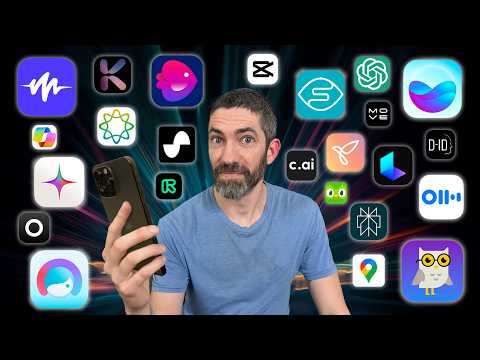
Some of the best free AI apps for beginners include ChatGPT (free tier), Canva’s AI tools, Grammarly’s free plan, and Microsoft Copilot. These apps require no technical expertise and deliver immediate value for writing, design, and general productivity tasks. They are ideal starting points for anyone new to AI-powered tools.
Are AI apps safe to use for sensitive business data?
Safety depends on the specific app and its data handling policies. Leading AI apps from established companies typically employ encryption and comply with regulations like GDPR and SOC 2. However, always review privacy policies, check whether data is used to train models, and consider enterprise-tier plans if you need enhanced security guarantees for sensitive business information.
How do AI writing apps compare to hiring a professional writer?
AI writing apps excel at speed, scalability, and cost-efficiency, making them ideal for drafting, brainstorming, and producing high-volume content. However, they may lack the nuanced creativity, industry-specific expertise, and editorial judgment that a professional human writer provides. The best approach often combines AI-assisted drafting with human review and refinement.
Can AI image generation apps be used commercially?
Commercial usage rights vary by platform. Some AI image generation apps like Midjourney and DALL-E grant commercial use rights for paid subscribers, while free tiers may have restrictions. Always check the specific licensing terms of the app before using AI-generated images for commercial projects or client deliverables.
What makes an AI app different from a traditional software application?
The key difference lies in adaptability and intelligence. Traditional software follows predefined rules and logic, while AI apps learn from data, recognize patterns, and generate context-aware outputs. AI apps can handle ambiguity, improve with use, and perform tasks that would require explicit programming in traditional software — making them far more flexible and capable in dynamic environments.