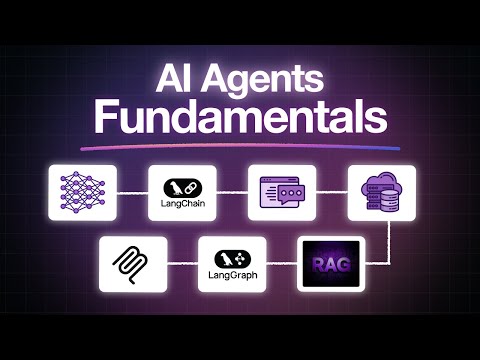

If you are building intelligent software in 2024, understanding the landscape of AI development tools is no longer optional — it is essential. From automated code generation to end-to-end machine learning pipelines, these platforms and frameworks have fundamentally transformed how developers, data scientists, and engineering teams bring artificial intelligence products to life. Whether you are a solo developer experimenting with your first neural network or a senior engineer orchestrating production-grade AI systems, the right set of AI development tools can dramatically accelerate your workflow, reduce errors, and unlock capabilities that were once reserved for large research teams. This guide walks you through the most impactful categories of AI development tools, compares leading platforms, and gives you actionable strategies for choosing and mastering the tools that match your skill level and project goals.
What Are AI Development Tools?
AI development tools refer to software applications, frameworks, libraries, and platforms specifically designed to streamline the creation, training, deployment, and management of artificial intelligence models and applications. These tools span a broad spectrum of functionality, covering everything from writing and debugging code to preprocessing massive datasets, fine-tuning large language models, and monitoring model performance in live production environments. Unlike general-purpose programming tools, AI development tools are purpose-built to handle the unique computational demands, mathematical complexity, and iterative experimentation that artificial intelligence projects require. They integrate with popular languages like Python, R, and JavaScript, and increasingly support low-code and no-code interfaces that make AI accessible to non-programmers as well.
Why AI Development Tools Matter in 2024 and Beyond
The explosion of generative AI, foundation models, and agentic systems has created an urgency for developers to adopt modern AI development tools. Organizations that leverage these platforms report faster prototyping cycles, fewer deployment bottlenecks, and more consistent model accuracy across teams. The demand is not slowing down — according to industry analysts, the global AI developer tooling market is projected to grow significantly through the decade, driven by enterprise adoption of machine learning operations, responsible AI governance, and edge AI deployment. Investing in the right tools now positions your team to stay competitive as AI capabilities become table stakes rather than differentiators.
Key Benefits for Teams and Solo Developers
Whether you operate alone or within a large engineering organization, AI development tools deliver measurable advantages:
- Accelerated development cycles: Automated code suggestions, template-based model building, and one-click deployment reduce the time from idea to working prototype.
- Lower barriers to entry: Visual interfaces and pre-built model libraries let newcomers experiment with deep learning without mastering every mathematical concept first.
- Collaboration and reproducibility: Version-controlled experiment tracking and shared workspaces prevent the chaos that often accompanies AI research projects.
- Scalability: Cloud-native platforms allow you to train models on GPUs and TPUs without managing physical hardware.
- Cost optimization: Smart resource allocation and spot-instance support help control compute expenses during intensive training runs.
Top AI Development Tools Categories
The AI tooling ecosystem is diverse and layered. Understanding the major categories helps you identify exactly which tools belong in your stack at each stage of the development lifecycle.
Code Generation and Intelligent Assistants
AI-powered code assistants have become the first line of defense for developers working on AI projects. Tools like GitHub Copilot, Cursor, and Tabnine leverage large language models trained on billions of lines of code to suggest completions, refactor functions, and generate boilerplate for machine learning pipelines. These assistants understand context across entire repositories, meaning they can recommend the correct PyTorch or TensorFlow function call based on the surrounding code structure. For developers building AI applications, these tools cut repetitive coding time significantly and help catch bugs before they propagate into training pipelines.
Machine Learning Frameworks and Platforms
At the heart of most AI projects lies a machine learning framework. TensorFlow and PyTorch remain the dominant open-source options, each with distinct strengths. PyTorch is widely favored for research and rapid prototyping because of its Pythonic design and dynamic computation graph, while TensorFlow excels in production environments thanks to TensorFlow Serving, TensorFlow Lite for edge devices, and TensorFlow.js for browser-based inference. Emerging frameworks like JAX and DeepSpeed are gaining traction for high-performance distributed training scenarios where scaling to thousands of GPUs is a requirement.
Data Labeling and Model Training Utilities

High-quality training data is the backbone of every successful AI model, and data labeling tools like Label Studio, CVAT, and Amazon SageMaker Ground Truth make the annotation process faster and more consistent. These platforms support image classification, object detection, and named entity recognition workflows, often incorporating active learning techniques that prioritize the most informative samples for human review. On the training side, platforms like Weights & Biases and MLflow provide experiment tracking, hyperparameter tuning dashboards, and artifact management that give teams full visibility into how their models evolve over time.
Deployment and Monitoring Solutions
Building a model is only half the battle — getting it into production reliably is where many projects stall. BentoML, Seldon Core, and NVIDIA Triton Inference Server simplify the deployment of trained models as scalable APIs. For ongoing monitoring, tools like Evidently AI and Fiddler track data drift, prediction distribution shifts, and fairness metrics, alerting teams when a model’s real-world performance begins to degrade. These monitoring capabilities are critical for maintaining trust and ensuring compliance in regulated industries.
Comparison Table: Leading AI Development Tools
| Tool | Category | Best For | Pricing |
| GitHub Copilot | Code Generation | Real-time AI-assisted coding for Python, JavaScript, and more | $10/month for individuals |
| PyTorch | ML Framework | Research, deep learning prototyping, dynamic graphs | Free and open-source |
| TensorFlow | ML Framework | Production ML pipelines, mobile and edge deployment | Free and open-source |
| Weights & Biases | Experiment Tracking | Team collaboration, hyperparameter sweeps, model versioning | Free tier available; paid plans from $9/user/month |
| Label Studio | Data Labeling | Custom annotation workflows across image, text, and audio | Free open-source; cloud hosting available |
| BentoML | Model Deployment | Building scalable inference APIs for ML models | Open-source; enterprise plans available |
| Evidently AI | Model Monitoring | Detecting data drift and model degradation in production | Open-source; paid dashboard available |
How to Choose the Right AI Development Tools for Your Project
Selecting AI development tools should start with a clear understanding of your project’s scope, team expertise, and deployment targets. For beginners, starting with a high-level platform like Google Colab or Kaggle Notebooks removes the friction of environment setup and gives you immediate access to free GPU computing. Intermediate developers should invest in experiment tracking with MLflow or Weights & Biases and pair their framework choice with a solid code assistant like Cursor or GitHub Copilot. Advanced teams building production systems need orchestration tools like Kubeflow or MLflow for pipeline management, combined with robust monitoring and version control for models and data. Always evaluate tools based on community support, documentation quality, and integration with your existing tech stack before committing to a long-term workflow.
Expert Tips for Maximizing AI Development Tool Performance
Even the most powerful AI development tools will underperform if you do not use them strategically. Here are proven tips from experienced practitioners:
- Standardize your environment early. Use containerization tools like Docker and orchestration platforms like Kubernetes to ensure that your development, testing, and production environments are consistent across the entire team.
- Leverage pre-trained models whenever possible. Fine-tuning a foundation model with tools like Hugging Face Transformers saves weeks of training time compared to building a model from scratch.
- Track everything from day one. Logging hyperparameters, dataset versions, and evaluation metrics from the start of a project prevents the painful process of reconstructing lost experiments later.
- Automate your evaluation pipelines. Use CI/CD integrations that automatically run model validation tests whenever new code or data is pushed to your repository.
- Stay current with framework updates. Both PyTorch and TensorFlow release major updates multiple times per year, and these updates often include significant performance improvements and security patches that directly impact your development workflow.
Frequently Asked Questions
What are the best AI development tools for beginners in 2024?
Beginners should start with Google Colab for free GPU access, Hugging Face for exploring pre-trained models, and GitHub Copilot for intelligent code assistance. These tools have generous free tiers and extensive community tutorials that lower the learning curve significantly. Pairing these with a beginner-friendly framework like PyTorch gives newcomers a smooth path from first experiment to functional AI application.
How do I choose between PyTorch and TensorFlow for my AI development workflow?
Choose PyTorch if your priority is research flexibility, dynamic model architectures, or if you are working in academic or fast-moving startup environments. Choose TensorFlow if you need production-grade serving capabilities, mobile and edge deployment through TensorFlow Lite, or if your organization already has infrastructure built around the TensorFlow ecosystem. Many teams use both, prototyping in PyTorch and exporting models to TensorFlow Serving for production.
Can AI development tools replace the need for a machine learning engineer?
AI development tools are powerful accelerators, but they do not replace the need for domain expertise and ML engineering judgment. Automated tools handle repetitive tasks and lower the barrier to entry, but designing effective model architectures, curating high-quality datasets, interpreting evaluation metrics, and making responsible deployment decisions still require skilled human oversight. The best results come from combining powerful tooling with experienced practitioners.
What should I look for in AI development tools for team collaboration?
Look for tools that offer centralized experiment tracking, shared model registries, and collaborative annotation features. Weights & Biases and MLflow both excel at giving teams a single source of truth for model performance across different runs. Additionally, prioritize tools with robust API access and integration with your team’s existing code review, CI/CD, and project management platforms to maintain a seamless development workflow.
Are there free AI development tools that can handle enterprise-scale workloads?
Yes, several open-source AI development tools scale to enterprise workloads. Kubeflow runs ML pipelines on Kubernetes clusters, MLflow manages model registries at scale, and BentoML serves models through production-grade inference servers. The key consideration is infrastructure cost — while the software itself is free, running these tools at scale on cloud GPU instances requires thoughtful resource management and budget planning.
Conclusion
The world of AI development tools has matured rapidly, and the gap between building an AI experiment and deploying a reliable production system has narrowed considerably. By thoughtfully selecting tools that align with your team’s skill level, project requirements, and long-term scalability goals, you can build AI applications faster, with greater confidence, and at a fraction of the cost that traditional approaches demanded. Start with the categories and recommendations outlined in this guide, experiment with free tiers and open-source options, and invest in learning the tools that compound in value as your AI projects grow in complexity. The right toolkit does not just save time — it transforms what your team is capable of building.