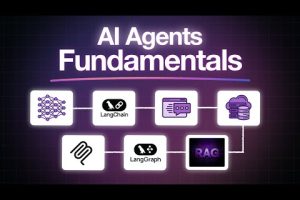
The landscape of software engineering is changing at a breakneck pace, and keeping up with AI developer tools news has never been more critical for modern programmers. We are no longer living in an era where AI merely acts as a glorified autocomplete; the current wave of intelligent coding assistants, autonomous agents, and machine learning integration platforms is fundamentally reshaping how we architect, build, and deploy software. Every week brings a new headline about a tool that claims to slash development time in half or eliminate entire categories of bugs. Separating genuinely transformative innovations from marketing hype requires careful evaluation. This deep dive explores the most significant developments in artificial intelligence for developers, offering practical insights and a clear roadmap for navigating this rapidly evolving ecosystem.
The Shifting Landscape of AI Developer Tools News
Understanding the latest trends in generative AI for software engineering requires recognizing a fundamental shift in how developers interact with machines. In the past, developers wrote rigid instructions for computers to follow. Today, we are moving toward a collaborative model where human developers provide high-level intent, and AI models handle the granular implementation details. This paradigm shift means that the tools we use must be deeply integrated into our workflows, capable of understanding context across entire codebases and handling the nuanced logic of modern application architecture. The news surrounding these platforms is no longer just about new features; it is about the emergence of context-aware systems that can read your documentation, understand your database schema, and suggest entire backend structures based on a single prompt.
Why AI Developer Tools Are Evolving Faster Than Ever
Several converging technological forces are accelerating the evolution of developer productivity software. The release of frontier large language models like GPT-4o and Claude 3.5 Sonnet has dramatically improved the accuracy and coherence of code generation. These models possess massive context windows, allowing them to process entire project files simultaneously rather than just the snippet currently on the screen. Additionally, the open-source community has made incredible strides with models like Llama 3 and Mistral, enabling developers to run sophisticated AI coding assistants locally without sending proprietary code to third-party servers. Finally, competitive pressure among major tech giants—including Microsoft, Google, and Amazon—ensures that the pace of innovation remains relentless, turning standard text editors into intelligent development environments.
Top AI Developer Tools Dominating the News Right Now
As we scan the tech headlines, a few specific tools stand out as the driving forces behind this revolution. These platforms are not just incremental updates; they represent fundamental leaps in how we approach software development.
Cursor and the IDE Revolution
Cursor has rapidly become the darling of the AI developer community, effectively turning the VS Code experience into a deeply intelligent coding partner. Unlike traditional extensions that offer simple code completion, Cursor leverages the full context of your project. When you ask it to refactor a function, it does not just look at the current file; it understands the function signature across the entire repository, the types defined in your interfaces, and the tests associated with that module. This level of awareness drastically reduces the friction of AI-assisted development, making the transition from manual coding to AI pair programming seamless. Recent updates have focused on multi-file edits, allowing the AI to modify several interconnected files simultaneously while maintaining logical consistency across your codebase.
Autonomous Coding Agents on the Rise
Perhaps the most thrilling segment of machine learning tools news involves the rise of autonomous coding agents. Tools like Devin and the agentic capabilities baked into newer IDEs are moving us beyond simple suggestion to autonomous execution. These agents can read a bug report, navigate the codebase to find the root cause, write the necessary fixes, run the test suite, and submit a pull request—all with minimal human intervention. While we are not yet at the point where these agents can handle complex, full-stack applications entirely autonomously, the trajectory is clear. The integration of tool-use capabilities means these agents can now execute shell commands, interact with APIs, and manage version control, effectively acting as junior developers that never sleep.
Comparing the Heavyweights: AI Developer Tools Landscape
With so many options available, developers and engineering leaders must carefully evaluate which tools align with their specific workflow and security requirements. The following comparison highlights the leading contenders in the space of AI software development tools.
| Tool Name | Primary Strength | Best Use Case | Deployment Model |
| Cursor IDE | Deep codebase context | Full-stack development and refactoring | Cloud or local LLM |
| GitHub Copilot | Seamless GitHub integration | Standard coding and boilerplate generation | Cloud |
| Amazon Q Developer | Enterprise security focus | AWS-centric cloud architecture | Cloud |
| Codeium | Cost-effective free tier | Startups and budget-conscious teams | Cloud or local |
| Devin / Autonomous Agents | Task completion autonomy | Debugging and standalone feature builds | Cloud |
Practical Recommendations for Different Skill Levels

Integrating artificial intelligence into your development workflow is not a one-size-fits-all endeavor. The approach you take should correspond to your experience level, the complexity of your projects, and the security constraints of your organization.
Beginner Level: Getting Started with AI Coding Assistants
If you are new to this space, the best way to dip your toes into the water is to install a familiar tool like GitHub Copilot or Cursor. As a beginner, focus on using the AI to understand code rather than generating entire modules from scratch. You should leverage the tool to:
- Explain complex algorithms in simple terms
- Translate technical documentation into working code examples
- Highlight common pitfalls and anti-patterns in your current implementation
The primary goal at this stage is to build trust in the technology and understand how to write effective prompts. When you encounter a difficult error message, instead of immediately searching Stack Overflow, try asking the AI assistant to break down the stack trace and suggest potential fixes. This habit accelerates learning while improving your problem-solving skills.
Intermediate Level: Optimizing Workflows and Context Window
Once you are comfortable with the basics, intermediate developers should start optimizing for context and workflow efficiency. This involves configuring your tool to index your entire project directory so the AI understands the relationships between different modules. You should also start leveraging inline commands that allow you to perform specific actions without breaking your flow. For example, using a slash command to generate unit tests, or asking the assistant to extract a shared utility from two duplicate code blocks. At this level, the focus shifts from asking the AI to do the work for you, to using it as a force multiplier that handles repetitive coding, allowing you to focus on higher-level architecture.
Advanced Level: Custom Models and Agentic Workflows
For advanced developers and engineering teams, the frontier of AI development involves custom models and complex agentic workflows. This includes fine-tuning open-source language models on proprietary codebases to create tools that understand your company’s specific internal libraries and architectural patterns. Advanced users are also exploring the orchestration of multiple AI agents, where one agent handles frontend UI generation, another manages the backend database schema, and a third acts as a senior reviewer to ensure the combined output meets security and performance standards. This approach requires a deep understanding of prompt engineering, vector databases, and API integrations, representing the bleeding edge of what is currently possible in automated software engineering.
Expert Tips for Staying Ahead of AI Developer Tools News
The AI development landscape evolves so rapidly that yesterday’s best practice can quickly become tomorrow’s legacy approach. To stay ahead of the curve, you need to be intentional about how you consume information. First, curate your news feed aggressively. Subscribe to specialized newsletters that focus specifically on developer tools and machine learning updates rather than generic tech news sites. Second, engage with the community. Discord servers and Reddit forums dedicated to tools like Cursor and GitHub Copilot are often where features are discussed weeks before they hit the official changelog. Finally, never stop experimenting. Set aside dedicated time each week to try out a new feature, test an alternative tool, or experiment with a new prompt engineering technique. The developers who thrive in this new era are those who actively shape their workflows around the cutting-edge capabilities as they emerge.
Frequently Asked Questions
What are the most significant recent updates in AI developer tools news that engineers should know about? The most significant updates include the introduction of multi-file editing capabilities in IDE-integrated assistants, allowing developers to refactor entire codebases with a single prompt. Additionally, major strides have been made in autonomous coding agents that can independently debug issues and submit pull requests. These advancements are driven by models with larger context windows, enabling them to process entire projects rather than isolated snippets, which dramatically improves the accuracy of the suggestions provided.
How do machine learning tools impact the security of proprietary codebases? Security concerns are paramount when adopting AI software development tools, particularly regarding data privacy. Many commercial offerings allow you to opt out of having your code snippets used for model training, but the default settings often send data to cloud servers for processing. For organizations with strict security requirements, the best approach is to utilize tools that offer local deployment options or enterprise agreements that guarantee data isolation. Running open-source models locally ensures that proprietary code never leaves your secure network environment while still providing the benefits of AI-assisted development.
Can AI coding assistants completely replace human developers in the software creation process? While AI development tools are incredibly powerful for boosting productivity and handling boilerplate code, they are not yet capable of replacing human developers entirely. AI excels at pattern recognition and generating standard implementations, but it still struggles with complex architectural decisions, nuanced business logic, and the creative problem-solving required for novel engineering challenges. The current paradigm is best viewed as augmented intelligence, where AI acts as a highly capable assistant that handles repetitive tasks, allowing human engineers to focus on system design and complex problem-solving.
Which open-source AI developer tools are currently leading the industry compared to commercial offerings? Open-source models like Llama 3 and Mistral have reached a level of competence that rivals commercial options in many coding tasks. When paired with local execution frameworks like Ollama or LM Studio, developers can build robust coding assistants without relying on external APIs. The true advantage of open-source tools lies in customization; advanced users can fine-tune these models on their own codebases, creating specialized assistants that intimately understand their specific tech stack and internal documentation, a level of personalization that commercial tools cannot easily match.
What is the best way for a small startup to integrate AI developer tools into their existing workflow? For a small startup, the best approach is to prioritize seamless integration and team collaboration over complex custom deployments. Starting with a tool like Cursor or GitHub Copilot provides immediate value with minimal setup overhead. Startups should focus on standardizing prompt templates across the team to ensure consistent code quality and establish clear guidelines for reviewing AI-generated code. The goal should be to use these tools to accelerate the development lifecycle without introducing technical debt, ensuring that the codebase remains maintainable as the startup scales.
Conclusion
The rapid advancement of AI developer tools is no longer a future trend; it is the present reality of software engineering. By staying informed through reliable AI developer tools news and strategically integrating these technologies into your workflow, you can dramatically enhance your productivity and focus on the creative aspects of coding that truly require human ingenuity. Whether you are just starting your journey with an AI coding assistant or you are architecting complex autonomous agent systems, the key is to remain adaptable and continuously experiment. The tools are evolving fast, but the developers who learn to harness their power effectively will be the ones who build the software of tomorrow. Embrace the change, keep your codebase secure, and let AI handle the tedious so you can focus on building something extraordinary.