


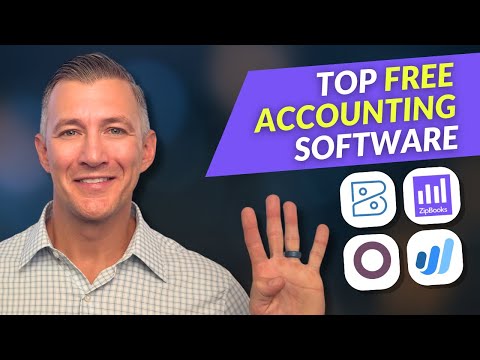
Running a small business means juggling dozens of responsibilities at once, and keeping your finances in order is never one of them you can afford to neglect. Fortunately, free accounting software for small business has transformed the way entrepreneurs manage their bookkeeping, invoicing, and tax preparation without spending a single dollar. Whether you are a solopreneor just starting out or a growing startup tracking multiple revenue streams, the right free tool can save you hours of manual data entry and countless headaches down the road. In this guide, we will explore the best free accounting solutions available today, break down their standout features, compare them side by side, and give you actionable tips for choosing the platform that truly fits your workflow.
Why Free Accounting Software Matters for Small Businesses
Every dollar counts when you are bootstrapping a business, and spending hundreds on accounting platforms like QuickBooks or Xero simply does not make sense in the early stages. Free accounting tools have evolved dramatically over the past few years, offering robust bookkeeping capabilities, automated bank feeds, and even payroll features that rival their paid counterparts. The key is finding a solution that aligns with your business size, industry, and long-term financial goals without locking you into hidden upgrade costs.
Free small business accounting software eliminates the barrier to entry for proper financial management. Without one, many owners rely on spreadsheets or manual ledgers, which are error-prone and time-consuming. A dedicated free tool gives you real-time visibility into cash flow, automated categorization of transactions, and professional invoicing that reflects well on your brand from day one.
Top Free Accounting Software Options for Small Businesses
Not all free accounting tools are created equal. Some platforms offer a generous free tier with unlimited features, while others cap your usage after a certain number of transactions or users. Below are the most respected free accounting solutions currently available for small business owners.
Wave Accounting
Wave is arguably the most popular free accounting software for small businesses, and for good reason. It offers fully functional bookkeeping, invoicing, receipt scanning, and financial reporting at absolutely no cost. Wave generates revenue through paid add-ons like payroll and payment processing, which means the core accounting engine remains completely free. It is ideal for freelancers, consultants, and very small businesses with straightforward financial needs.

ZipBooks
ZipBooks stands out by combining free accounting features with built-in time tracking and project management tools. The free plan supports unlimited invoicing, client management, and basic financial reports. Its standout feature is a smart invoicing system that sends automatic reminders to late-paying clients, helping small business owners improve their cash flow without lifting a finger. ZipBooks works well for service-based businesses that bill by the hour or project.
GnuCash
GnuCash is an open-source accounting platform that appeals to small business owners who value transparency and full data ownership. Unlike cloud-based solutions, GnuCash installs locally on your computer, giving you complete control over your financial data. It supports double-entry bookkeeping, expense tracking, and investment portfolio management. While it has a steeper learning curve than Wave or ZipBooks, GnuCash is powerful for business owners who want professional-grade bookkeeping without any subscription fees whatsoever.
Manager.io

Manager.io is another excellent open-source option that works both online and offline. It supports invoicing, expense tracking, bank reconciliation, and multi-currency transactions. The free version is remarkably feature-rich, making it a strong choice for small businesses that need advanced accounting capabilities without the price tag. It also supports multiple users, which is rare among free accounting tools.
SevDesk
SevDesk is a cloud-based accounting platform that originated in Europe but has gained global traction. Its free tier includes invoice creation, expense management, and basic bookkeeping reports. SevDesk is particularly strong in automating VAT and tax-related tasks, making it a great fit for small businesses in regions with complex tax regulations. The platform also integrates smoothly with popular payment gateways and e-commerce systems.
Key Features to Look For in Free Accounting Tools
When evaluating free accounting software for small business needs, you should focus on the features that will have the greatest impact on your daily operations and long-term financial health. Here is what matters most:
- Automated bank feeds: The ability to connect your business bank account and automatically import transactions saves enormous time and reduces manual errors.
- Invoicing and payment tracking: Professional invoice templates, automatic payment reminders, and online payment acceptance are essential for getting paid faster.
- Expense categorization: Smart categorization of expenses helps you understand where your money goes and simplifies tax preparation.
- Financial reporting: Look for profit and loss statements, balance sheets, and cash flow reports that give you a clear picture of business performance.
- Receipt scanning: Mobile apps that let you snap photos of receipts and automatically attach them to transactions eliminate the hassle of paper clutter.
- Multi-user access: If you work with a bookkeeper, accountant, or business partner, the ability to grant access is invaluable.
- Integration ecosystem: Compatibility with e-commerce platforms, payment processors, and payroll services extends the functionality of your accounting tool.
Comparison of Free Accounting Software Options
| Software | Best For | Key Strength | Limitations |
| Wave | Freelancers and micro-businesses | Truly free core features with no transaction limits | Limited integrations compared to paid platforms |
| ZipBooks | Service-based businesses | Built-in time tracking and smart invoicing | Payroll features require paid upgrade |
| GnuCash | Data privacy-focused owners | Open-source with full offline access | Outdated interface and steeper learning curve |
| Manager.io | Multi-user businesses | Rich free features including multi-currency | Less polished user experience |
| SevDesk | European-based businesses | Strong tax automation and VAT support | Free tier has limited invoice numbers |
How to Choose the Right Free Accounting Solution
Choosing the best free accounting software depends on understanding your specific business needs. Start by asking yourself a few critical questions. How complex are your transactions? Do you need multi-currency support? Will you be working with a professional accountant who needs access? Are you comfortable with cloud-based storage or do you prefer offline software? Your answers to these questions will narrow your options significantly.
For solo freelancers and very small operations with fewer than 50 transactions per month, Wave and ZipBooks are excellent starting points. They offer intuitive interfaces and require minimal setup time. If you are managing a slightly larger operation with multiple revenue streams or international clients, Manager.io or SevDesk may serve you better. GnuCash is the go-to choice for business owners who prioritize data sovereignty and want a traditional double-entry bookkeeping system without any strings attached.
It is also wise to consider scalability. While you may start with a free plan, your business will grow. Choosing a platform that offers affordable upgrade paths means you will not need to migrate to an entirely new system when your needs change. Wave, for example, provides payroll and payment processing add-ons that integrate seamlessly with its free core accounting engine.
Expert Tips for Maximizing Free Accounting Software
- Connect your bank account from day one. Automating your transaction imports from the start ensures your financial records stay clean and up to date, saving you significant reconciliation work later.
- Use receipt scanning on your phone. Instead of hoarding paper receipts, snap photos immediately after every purchase. Most free accounting apps let you categorize and annotate receipts right from your device.
- Reconcile weekly. Set a recurring weekly reminder to review your transactions and reconcile your bank feed. This habit prevents small discrepancies from snowballing into major accounting headaches.
- Leverage reporting dashboards. Do not just look at profit and loss. Explore cash flow forecasts, expense breakdowns, and aging reports to spot trends and make informed business decisions.
- Export data regularly. Even with a free tool, always maintain regular backups or exports of your financial data. This protects you if the platform changes its free tier or shuts down unexpectedly.
- Pair your software with a dedicated business bank account. Keeping personal and business finances separate makes every aspect of bookkeeping cleaner and dramatically simplifies tax time.
Frequently Asked Questions About Free Small Business Accounting Software
Is free accounting software really reliable enough for small business tax filing?
Yes, free accounting software like Wave, GnuCash, and ZipBooks generates accurate financial reports that are perfectly suitable for tax filing. The key is maintaining consistent, organized records throughout the year. Most free platforms support exporting data to formats that accountants and tax preparers can work with directly, making the tax preparation process smooth and reliable.
What is the best free accounting software for businesses with inventory?
Inventory management is one of the features most commonly found in paid plans, but Manager.io offers surprisingly capable inventory tracking even on its free tier. For businesses with simple inventory needs, this open-source tool provides stock tracking, purchase orders, and cost-of-goods-sold calculations without requiring a monthly subscription. Businesses with complex inventory may eventually need to explore paid options as they scale.
Can I switch from free accounting software to a paid plan later without losing data?
Most reputable free accounting platforms allow you to upgrade to a paid tier while preserving all your historical data. Wave, ZipBooks, and Manager.io all support seamless upgrades that retain your invoices, transactions, and reports. Before committing to any platform, verify their data export options and migration policies so you are never locked in.
Do I need accounting experience to use free small business bookkeeping tools?
Modern free accounting software is designed with non-accountants in mind. Platforms like Wave and ZipBooks feature guided setups, intuitive dashboards, and automatic transaction categorization that make bookkeeping accessible to business owners with zero accounting background. That said, taking a few hours to learn the basics of double-entry bookkeeping can dramatically improve the accuracy and usefulness of your financial records.
While the core accounting features are genuinely free, many platforms charge for premium add-ons such as payroll processing, payment acceptance, or priority support. Always read the pricing page carefully and understand which features are included in the free tier before committing. Wave remains one of the most transparent options, as its free accounting module has no hidden fees or transaction limits.
Final Thoughts
Free accounting software for small business is no longer a compromise, it is a strategic advantage. The platforms available today offer professional-grade bookkeeping, invoicing, and financial reporting that empower entrepreneurs to take control of their finances from day one. By choosing the right tool, building disciplined financial habits, and leveraging automation features, small business owners can spend less time on number crunching and more time on what truly matters, growing their business. Start with one of the platforms discussed in this guide, invest a few hours in setting it up properly, and you will wonder how you ever managed without it.