


When you start comparing artificial intelligence tools and platforms, the sheer number of options available can feel overwhelming. Whether you are a business leader evaluating AI solutions, a developer choosing a framework, or a curious enthusiast exploring what’s possible, understanding the nuances of an AI comparison is absolutely critical. The landscape has exploded in recent years, with new models, APIs, and platforms launching at a dizzying pace. But not all AI tools are created equal, and making the wrong choice can cost you time, money, and competitive advantage. This guide dives deep into the world of AI comparison, breaking down the leading platforms, their strengths and weaknesses, and giving you a practical framework to decide which solution fits your unique needs.
What Does “AI Comparison” Actually Mean?
An AI comparison goes far beyond simply reading marketing brochures or skimming product pages. It involves a systematic evaluation of artificial intelligence systems across multiple dimensions, including accuracy, speed, ease of integration, pricing, scalability, and the specific tasks they excel at. Think of it like comparing smartphones — everyone has a favorite, but the right choice depends entirely on what you need it to do.
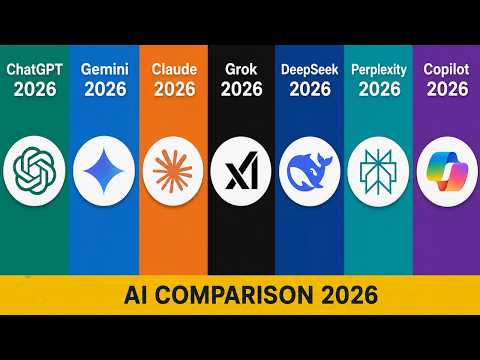
When professionals talk about comparing AI platforms, they are usually evaluating factors like natural language processing capabilities, image recognition accuracy, API responsiveness, fine-tuning options, and real-world performance benchmarks. The goal is to move past the hype and focus on measurable, practical differences that actually matter for your workflow.
Top AI Tools Compared: A Detailed Breakdown
Leading AI Models and Their Core Strengths
The current AI ecosystem is dominated by several major players, each with distinct advantages and ideal use cases. Here is a closer look at the platforms that consistently appear at the top of any serious AI comparison.
- ChatGPT (OpenAI): Known for its versatility in conversational AI, creative writing, coding assistance, and reasoning tasks. The GPT-4 model offers strong multilingual support and an extensive plugin ecosystem.
- Google Gemini: Excels in multimodal tasks, seamlessly integrating text, image, and video analysis. Backed by Google’s vast search data, it performs exceptionally well for research-intensive queries.
- Claude (Anthropic): Stands out for its emphasis on safety, nuanced reasoning, and long-context handling. Many users prefer Claude for summarization and complex document analysis.
- Microsoft Copilot: Deeply integrated into the Microsoft 365 suite, making it the go-to choice for enterprise users already relying on Word, Excel, and Teams.
- Meta Llama: An open-source model that offers flexibility and customization, ideal for developers who want full control over their AI deployment.
Side-by-Side AI Comparison Table
| Platform | Best For | Pricing Model | Key Advantage |
| ChatGPT (GPT-4) | General-purpose AI tasks, coding, creativity | Freemium + Subscription | Largest plugin ecosystem |
| Google Gemini | Research, multimodal tasks | Freemium + Enterprise tiers | Google search integration |
| Claude | Long-form analysis, safety-focused tasks | Freemium + Subscription | Long context window |
| Microsoft Copilot | Enterprise productivity, Office integration | Subscription-based | Seamless Microsoft ecosystem |
| Meta Llama | Custom deployments, open-source development | Open-source / Free | Full customization control |
How to Choose the Right AI Tool for Your Needs
Key Factors to Evaluate During Your AI Tools Comparison
Not every AI platform will serve your purposes equally well. Before committing to a tool, consider these critical evaluation criteria:
- Task Alignment: Does the AI specialize in the type of work you need? For instance, Copilot shines in document creation, while Gemini is better for research-heavy projects.
- Integration Capabilities: Can the AI tool connect with your existing software stack? API access, browser extensions, and native app support all matter.
- Context Window: How much text or data can the model process at once? Longer context windows are essential for analyzing large documents or maintaining coherent conversations over many turns.
- Data Privacy and Security: Enterprise users must verify that the platform complies with relevant regulations and offers data isolation guarantees.
- Cost Efficiency: Compare pricing tiers carefully. Some platforms offer generous free tiers, while others charge per token or require annual contracts.
- Accuracy and Reliability: Look at independent benchmarks, user reviews, and real-world performance data rather than relying solely on vendor claims.
AI Comparison by Use Case
Content Writing and Marketing
If your primary need is generating blog posts, social media content, or marketing copy, ChatGPT and Claude are the frontrunners. ChatGPT offers faster output and a wider range of tone options, while Claude tends to produce more nuanced, less generic-sounding prose. For teams already using Google Workspace, Gemini’s native integration with Google Docs provides a streamlined content creation pipeline.
Data Analysis and Research
When it comes to crunching numbers, analyzing datasets, or synthesizing research papers, Gemini and Copilot hold a significant edge. Gemini leverages Google’s search infrastructure to pull in real-time information, making it invaluable for up-to-date research. Copilot, meanwhile, can analyze Excel spreadsheets directly within the Microsoft ecosystem, saving analysts from context-switching between tools.
Coding and Software Development
Developers often debate between ChatGPT, GitHub Copilot, and Claude for coding assistance. ChatGPT’s GPT-4 model handles a wide range of programming languages with impressive accuracy. GitHub Copilot integrates directly into IDEs like VS Code, offering real-time code suggestions that reduce context-switching. Claude, on the other hand, excels at reviewing and refactoring existing codebases, making it a favorite for debugging and code documentation.
Expert Tips for Making Smart AI Comparisons
Navigating the AI comparison landscape effectively requires more than just reading feature lists. Here are actionable tips from practitioners who have tested these platforms extensively:
- Run your own benchmarks: Create a standardized set of tasks relevant to your work and test each platform side by side. Real-world performance often differs from published benchmarks.
- Consider the total cost of ownership: Factor in setup time, integration effort, training costs, and subscription fees. A “free” tool that requires significant configuration may cost more in the long run.
- Watch for model updates: AI platforms evolve rapidly. A tool that was mediocre six months ago may now outperform competitors due to a recent model upgrade.
- Prioritize your workflow: Choose the platform that fits naturally into your existing processes rather than forcing yourself to adapt to a new ecosystem.
- Test the free tiers first: Most major platforms offer free access or trial periods. Use these to get hands-on experience before committing to a paid plan.
Final Thoughts on AI Comparison
The truth is that no single AI platform dominates every category. The best approach is to identify your specific needs, run targeted comparisons, and remain flexible enough to switch tools as your requirements evolve. The AI landscape is moving fast, and today’s top pick might not be tomorrow’s best option. By staying informed, testing rigorously, and thinking strategically, you can confidently navigate the crowded AI marketplace and select tools that genuinely deliver value.
Frequently Asked Questions
1. What is the most accurate AI model available in 2024?
Accuracy depends heavily on the task. For general reasoning and conversation, GPT-4 and Claude 3 are among the most accurate. For research and real-time information, Google Gemini leverages up-to-date search data effectively. For coding specifically, many developers report GitHub Copilot and ChatGPT as the most reliable options.
2. How do I compare AI tools on a budget?
Start by identifying which free tiers meet your basic needs. Most leading AI platforms offer free access with usage limits. Track your actual usage patterns — including token consumption, response times, and output quality — to determine whether a paid upgrade is genuinely worth the investment.
3. Can I use multiple AI tools together effectively?
Absolutely. Many professionals use different AI platforms for different tasks — for example, Claude for document analysis, ChatGPT for creative brainstorming, and Copilot for coding. This multi-tool approach leverages the unique strengths of each platform.
4. What should I look for when comparing AI APIs for developers?
Focus on API latency, rate limits, pricing per token, available model sizes, documentation quality, and community support. A developer-friendly API with clear error messages and robust SDKs will save significant integration time compared to platforms with poor documentation.
5. Are open-source AI models like Llama competitive with proprietary platforms?
Yes, and increasingly so. Meta Llama and other open-source models offer full customization, data privacy advantages, and zero licensing costs. However, they typically require more technical expertise to deploy and fine-tune compared to ready-to-use commercial platforms like ChatGPT or Gemini.